Unified Inbox: Email, Facebook, Instagram & Amazon
At some point today, a potential customer sent you a message. Maybe it was a Facebook DM. Maybe it was a reply to something you posted on Instagram. Maybe it landed in a website chat widget you set up six months ago and haven't thought about since.
If you're lucky, you'll notice it tonight when you scroll through the app. If you're not, you'll find it in two days and send an apologetic reply to a customer who's already booked someone else.
This is how leads quietly disappear from service businesses, not because the marketing didn't work, but because the reply never came.
Why Messages Get Missed
When your customer conversations are spread across four different apps, keeping up with them relies entirely on memory and habit. You have to remember to open Facebook. You have to check Instagram. You have to look at the website chat widget separately from your email.
Every switch between apps costs you time, and more importantly, it costs you visibility. When a message isn't in your main view, it's invisible until you go looking for it. And when you're flat out with client work, you're not going looking.
A unified inbox doesn't solve this by making you more disciplined. It solves it by pulling everything into one screen, so you don't have to go looking in the first place.
When a DM Becomes a Lead
There's a meaningful difference between someone engaging with your content and someone reaching out about a job. A like or a comment on a post is nice. But the moment someone sends you a direct message asking about your service, that's a lead.
These messages tend to look like:
"How much do you charge for this?"
"Are you available next week?"
"Do you work in my area?"
"Can you send through a quote?"
When these land in a social inbox, they sit alongside follows, tags, and comments. They're easy to miss. In a unified inbox connected to your CRM, they're treated as enquiries that need a response, not social interactions to scroll past.
What a Unified Inbox Actually Does
The goal isn't a tidy interface. The goal is making sure every enquiry gets seen and responded to before the customer moves on.
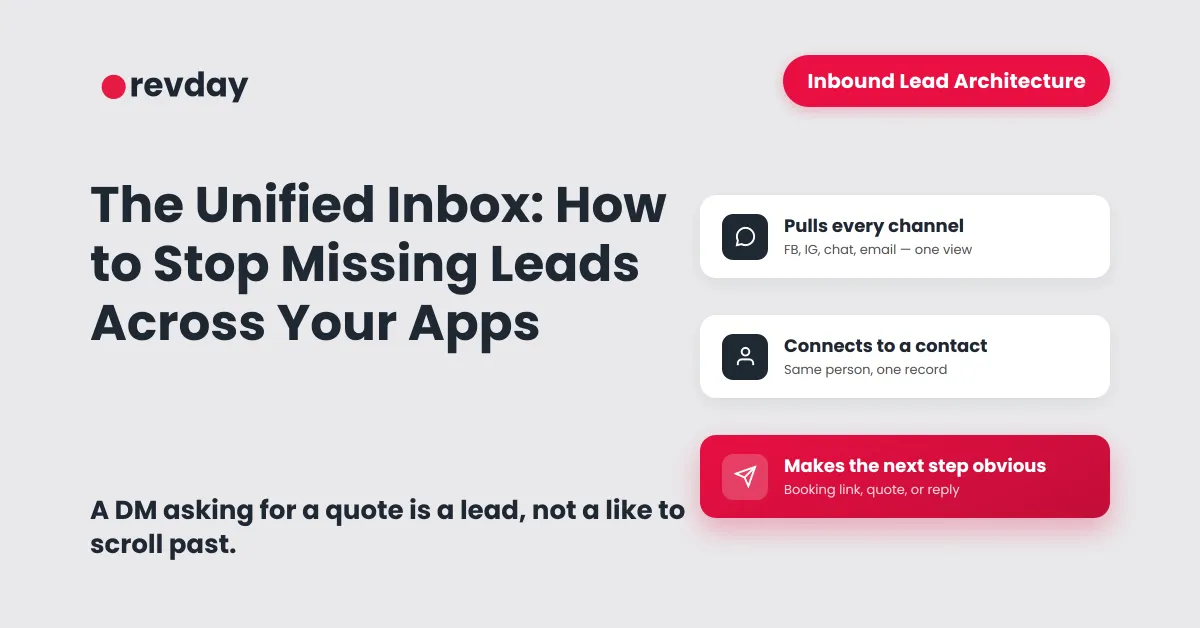
A properly set up unified inbox does three things. First, it pulls messages from Facebook, Instagram, website chat, and email into a single view so you're not opening multiple apps to check for new conversations. Second, it connects each message to a contact record, so you can see who the person is and what their history with your business looks like. Third, it makes the next step obvious, whether that's sending a booking link, a quote, or a simple reply.
Without that setup, the person who sends a Facebook DM on Monday is a completely separate contact to the person who emails you on Wednesday, even if they're the same person. You have no way of knowing, and no way of seeing the full picture of where your enquiries are actually coming from.
For the broader view on how this fits into a complete inbound approach, read Inbound Lead Architecture.
What to Automate and What to Keep Yourself
A unified inbox opens the door to some genuinely useful automation, but it doesn't mean automating every conversation.
Worth automating: an instant acknowledgement that lets the enquiry know you've received their message and you'll be back to them shortly. An internal notification so you know a new message came in. A follow-up nudge if a quote has been sitting unanswered for a few days.
Worth keeping yourself: anything involving nuanced questions about your service, handling a hesitant customer, or any conversation that's moving toward a booking. These moments need you, not a sequence.
The automation handles the gap between "message received" and "owner available." It means a lead who contacts you at 9pm on a Tuesday knows they've been seen, rather than staring at an empty reply field and wondering if you're even in business.
How to Know Your Current Setup Needs Fixing
A few signs the current approach isn't working: you find yourself opening multiple apps every morning just to check for new enquiries. You've replied to a message days later with a "sorry for the slow reply" more than once this month. You're getting enquiries but your conversion rate doesn't match the volume. You know you're running paid traffic or posting consistently, but you can't tell whether the conversations are actually happening or just going quiet.
Any one of those means leads are slipping somewhere in the gap between contact and conversation.
The Clarity Quiz takes three minutes and tells you exactly where your enquiry flow is leaking, whether it's the inbox, the follow-up, or something further down the line.
A Simple Checklist Before You Choose a Tool
If you're looking at unified inbox options, these are the things worth confirming before you commit:
Does it connect Facebook and Instagram DMs? Does it include a website chat widget? Do messages automatically create or update a contact record? Can you see the full conversation history in one view? Can you assign a status to each lead so you know what needs a response? Can you trigger follow-up reminders directly from the conversation?
If the answer to any of those is no, the tool is going to create a new silo rather than close the existing ones.
Take the Clarity Quiz to find out where your leads are currently slipping: