Stop Email Ping-Pong: Automate Your Calendar
A lead is interested.
They ask to book a time.
You send a few options. They reply with different options. You check your calendar again. Then one of you forgets to reply.
Nothing dramatic happened, but the momentum dropped.
That is why calendar automation matters.
Not because a booking link looks professional. Because the path from “I’m interested” to “I’m booked” should not depend on five emails and your memory.
For service businesses, your calendar is not just a scheduling tool.
It is part of your sales process.
If your booking process is messy, your sales process will feel messy too.
This article sits under revday’s broader guide, Sales Pipeline Automation for Small Business: Build a Frictionless Process.
What is automated appointment scheduling?
Automated appointment scheduling lets leads, clients or prospects book available times without manual back-and-forth.
Instead of emailing options manually, you use a booking page that shows your availability, collects the right information, creates the calendar event, and can trigger confirmations, reminders and next steps.
For a service business, this matters because bookings are not just admin.
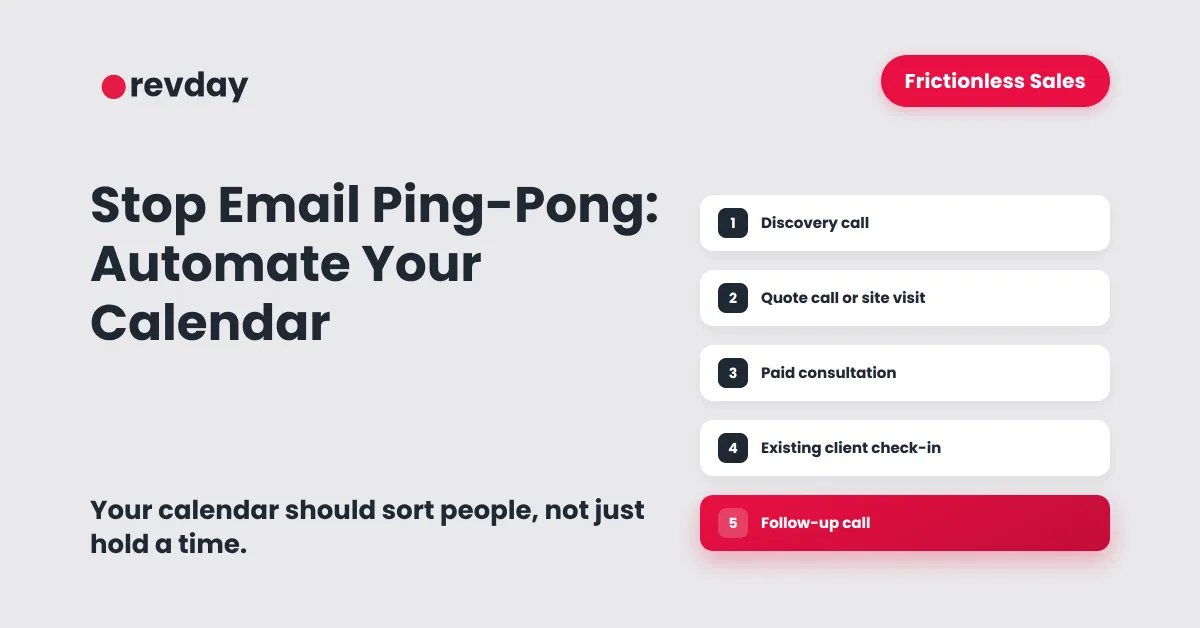
A booked appointment might be a discovery call, a quote call, a site visit, a paid consultation, a client check-in, an onboarding session or a follow-up conversation.
Each one has a different purpose.
That means each one should have a different path.
If every person gets sent to the same calendar link, your calendar is not really helping your sales process.
It is just giving people a place to pick a time.
A better booking system helps the right person book the right type of conversation.
Why scheduling back-and-forth slows down sales
Manual scheduling feels harmless.
It usually starts with a simple message:
“Sure, what time works for you?”
Then it turns into:
“I can do Tuesday morning or Thursday afternoon.”
Then:
“Thursday is no good. What about Friday?”
Then someone gets busy.
Then the lead goes quiet.
The issue is not only the time it takes.
The real issue is momentum.
When someone is ready to talk, every extra step creates another chance for the lead to lose interest, get distracted, or speak to someone else.
That does not mean the lead was never serious.
It means the next step was not easy enough to take.
Scheduling back-and-forth can create:
slower bookings
missed replies
forgotten follow-ups
confused prospects
too much founder admin
leads cooling down before the first conversation
no clear view of who is actually ready to buy
This is one of the quietest forms of sales leakage.
The lead was interested.
The business just made the next step harder than it needed to be.
If your sales process feels messy and you are not sure where the friction is, take the Clarity Quiz to find where your sales process is slowing down.
Your calendar is a sales filter, not just a scheduling tool
A lot of businesses use one booking link for everything.
That sounds simple, but it creates problems.
A new lead, an existing client, a quote request, a paid consultation and a support call should not all go through the same booking path.
They are not the same type of conversation.
They do not need the same questions.
They do not need the same time length.
They do not need the same follow-up.
Your calendar should help sort people into the right next step.
If the lead wants help but fit is unclear
Send them to a discovery call.
This gives you a chance to understand what they need before recommending the next step.
A discovery call should help you work out whether the person is a good fit, what they are trying to solve, and whether your service is the right path.
If the lead needs pricing or scope
Send them to a quote call or site visit.
This helps you collect the right details before giving a price.
A quote conversation usually needs more context than a normal sales call.
You may need to know the location, job type, timeline, budget, access details, project size or urgency.
If the lead wants advice or strategy
Send them to a paid consultation.
This protects your time and filters seriousness.
Some people are not ready to buy a larger service, but they do want your thinking, advice or diagnosis.
That can be a paid step instead of a free call.
If they are an existing client
Send them to a client check-in or support booking page.
Existing clients should not compete with new sales leads for the same calendar slots.
Separating these booking types keeps your sales process cleaner and your delivery work easier to manage.
If they are not ready yet
Send them to a resource, quiz or nurture path.
Not every lead should book a call straight away.
Some people need to understand the problem first. Some need to clarify what they want. Some are too early. Some are not a fit.
A good calendar system does not force every person into a meeting.
It guides them to the next best step.
The booking types a service business should set up
Most service businesses do not need one calendar.
They need a small set of clear booking types.
Each booking type should have:
a clear purpose
a set length
controlled availability
relevant intake questions
confirmation messages
reminder messages
a clear next step after the meeting
Below are the main booking types to consider.
Discovery call
A discovery call is for leads who are interested but not yet fully qualified.
Use this when someone wants to understand whether your service is right for them.
The mistake many founders make is allowing anyone to book a discovery call without context.
That fills the calendar with conversations that may never have been worth taking.
A better discovery call booking page asks a few useful questions before the person books.
Useful intake questions include:
What are you looking for help with?
What stage are you at?
What made you reach out now?
Have you worked with someone like us before?
What would make this call useful for you?
The goal is not to make the form feel heavy.
The goal is to make the call more useful for both sides.
Quote call
A quote call is for leads who need pricing, scope or a recommendation.
This is common for trades, local services, creative services, consultants and project-based businesses.
A quote call should collect the details you need before you speak.
For a service business, this might include:
location
service type
urgency
budget range
project size
photos or files
preferred timeline
Without these details, the call often becomes a fact-finding exercise.
With these details, the call can move faster and feel more professional.
The lead feels like you are prepared.
You feel like you are not starting from zero.
Site visit
A site visit is useful for trades, local services, home services and any business where the job needs to be assessed in person.
This booking type needs stronger calendar control.
You may need to allow for travel time, job duration, access issues, parking, preparation and follow-up.
A site visit booking page should include:
suburb or service area
property type
access details
job description
preferred days
urgency
photos if relevant
You can also use minimum notice and buffer times so your calendar does not become impossible to manage.
A site visit is not just a meeting.
It affects your day, your travel and your ability to deliver other work.
Paid consultation
A paid consultation is useful when the lead wants advice, strategy or diagnosis before committing to a larger service.
This booking type protects your time.
It also helps filter people who are not serious.
The booking page should explain:
what the session includes
what the person should prepare
what they will walk away with
whether the fee is credited towards future work
This is especially useful for consultants, coaches, strategists, creatives, advisors and technical service providers.
A paid consultation can be a strong middle step between “I am interested” and “I am ready for the full service.”
Existing client meeting
Existing clients should not use the same booking path as new leads.
Create a separate booking type for:
client check-ins
delivery reviews
support calls
project updates
onboarding sessions
This helps you separate sales from delivery.
It also stops your main sales calendar from becoming full of internal or client admin calls.
Existing clients need an easy way to reach you, but that does not mean they should use the same path as new business enquiries.
Follow-up call
A follow-up call is useful after a proposal, quote or discovery session.
This booking type should usually be shorter and more focused.
It can be used to:
answer final questions
walk through a proposal
confirm next steps
handle objections
move the lead towards a decision
A follow-up call should not feel like starting the whole sales process again.
It should pick up from where the last conversation ended.
That is why it should be connected to the lead’s pipeline stage and previous conversation history.
Calendar rules that protect your time
A booking link can make your calendar easier to access.
That is useful.
But if you do not set proper rules, it can also make your calendar easier to overload.
Calendar automation should protect your time, not fill every empty slot.
The goal is not to be available all the time.
The goal is to be available in a way that supports your sales process and your delivery work.
Minimum notice
Minimum notice stops people from booking too close to the appointment time.
For example, you may not want someone booking a call 20 minutes from now while you are in the middle of client work.
Set a minimum notice window that gives you time to prepare.
For many service businesses, that might be:
4 hours
12 hours
24 hours
48 hours
The right amount depends on the type of call.
A quick discovery call may need less notice than a site visit, quote appointment or paid strategy session.
Minimum notice helps you avoid rushed conversations.
It also stops your day from being controlled by whoever books last minute.
Buffer time
Buffer time gives you breathing room between meetings.
Without buffers, your calendar can become a wall of back-to-back calls.
That creates stress and reduces the quality of the conversation.
Use buffers before and after:
discovery calls
site visits
paid consultations
proposal reviews
onboarding sessions
Even 10 to 15 minutes can make a difference.
Buffer time gives you space to prepare, write notes, update the pipeline, send a follow-up, or simply reset before the next call.
A calendar with no breathing room usually creates a sales process with no follow-through.
Maximum bookings per day
Just because you have eight open slots does not mean you should accept eight sales calls.
Set limits around how many bookings can happen in one day.
This protects:
your energy
your delivery work
your preparation time
your follow-up time
your ability to do the actual work
A full calendar is not always a healthy calendar.
For service businesses, the work still needs to be delivered.
If your calendar is packed with calls but nothing moves forward afterwards, the system is not helping.
It is just creating a different kind of backlog.
Booking windows
A booking window controls how far ahead someone can book.
For example, you might allow bookings only within the next 14 or 30 days.
This helps prevent your calendar from filling too far into the future and becoming hard to manage.
It also keeps the booking close to the lead’s current interest.
If someone is interested now, but the first available time is six weeks away, the sales momentum may disappear before the conversation happens.
Time blocks
Do not let people book any time you are technically free.
Block specific windows for specific types of meetings.
For example:
discovery calls on Tuesday and Thursday mornings
quote calls in afternoon blocks
client check-ins on Wednesdays
admin and follow-up on Fridays
This gives your week more structure.
It also stops your day from being chopped into pieces by random bookings.
A scattered calendar creates scattered focus.
A structured calendar gives your business a rhythm.
Cancellation and reschedule rules
People will cancel and reschedule.
The problem is not that it happens.
The problem is when there is no system for it.
Your booking flow should make it easy for people to reschedule properly instead of disappearing or sending a last-minute message.
A clean cancellation and reschedule process helps reduce admin and keeps the lead inside your system.
The lead should not vanish just because they could not make the first time.
They should move into a clear reschedule path.
Intake questions that qualify before the call
A booking page should not only ask for a name and email.
It should collect enough information to make the call useful.
The goal is not to interrogate people.
The goal is to avoid walking into a call with no context.
Good intake questions help you understand:
what they need
whether they are a fit
how urgent it is
what service they are interested in
what next step makes sense
whether the call is worth your time
The best intake questions are simple, useful and connected to the next step.
Do not ask questions you will not use.
Do not make someone write an essay before they can book.
Ask enough to make the conversation better.
General service business questions
What are you looking for help with?
Which service are you interested in?
What made you reach out now?
What would make this call useful?
Have you worked with someone like us before?
How soon are you looking to get started?
Quote-based service questions
What type of work do you need quoted?
Where are you located?
Is this urgent?
Do you have photos or files you can share?
What is your preferred timeline?
Have you received quotes already?
Consultant or coach questions
What problem are you trying to solve?
What stage are you at right now?
What have you already tried?
What outcome are you hoping for?
Are you looking for advice, implementation, or both?
Creative service questions
What type of project are you planning?
What is your timeline?
Do you have an existing brand or website?
What budget range are you working within?
Who will be involved in the decision?
These questions help your calendar act as a filter.
The lead still gets an easy booking experience, but you get the context you need before the meeting.
What should happen after someone books?
The booking is not the end of the process.
It is the start of the next stage.
When someone books, your system should automatically create the next few steps.
A clean booking flow should trigger:
confirmation email or SMS
calendar invite
reminder sequence
internal notification
contact record update
pipeline stage update
pre-call instructions
reschedule link
follow-up task after the meeting
This is where calendar automation connects to your broader sales system.
When a lead books a discovery call, the lead should move to Call Booked and receive a confirmation.
When a lead answers intake questions, those answers should be saved against the contact record.
When a lead receives confirmation, they should know what the call is for, how long it will take and what to prepare.
When the call is coming up, they should receive reminder messages.
When the lead cancels, they should move into a Reschedule Needed step.
When the lead no-shows, they should trigger a no-show recovery path.
When the call is completed, a proposal, quote or follow-up task should be created.
This is the difference between having a booking link and having a sales process.
A booking link lets people choose a time.
A sales process knows what should happen after they choose it.
For the full system, read Sales Pipeline Automation for Small Business: Build a Frictionless Process.
Future deep dives to link when published:
What to automate and what to keep human
Calendar automation should not remove the human part of selling.
It should remove the admin that gets in the way of selling.
Automate this
Automate the repeatable steps:
booking availability
calendar invites
confirmation messages
reminder messages
reschedule links
internal notifications
pipeline stage updates
basic pre-call instructions
follow-up task creation
These are the parts that should not depend on your memory.
Keep this human
Keep the relationship-driven parts human:
discovery conversations
pricing nuance
fit assessment
objections
proposal discussion
sensitive issues
final decision conversations
Automation should support the relationship, not replace it.
The best sales process feels organised without feeling robotic.
What this looks like in service businesses
Calendar automation looks different depending on the type of business.
The principle is the same.
A lead should be able to book the right next step without the founder manually organising every detail.
Consultant or coach
A lead takes a quiz or fills out a form.
They are shown a discovery call link.
Before booking, they answer a few questions about their business, goals and current situation.
Once they book:
the calendar invite is created
the lead moves to Call Booked
a confirmation is sent
reminders are scheduled
the founder can review the answers before the call
The call starts with context instead of guessing.
Trade or local service business
A lead requests a quote.
They are sent to a quote call or site visit booking page.
The form asks for:
suburb
job type
urgency
photos
access details
preferred appointment time
Once booked:
the job details are captured
the lead is added to the pipeline
the visit is placed in the calendar
the customer receives confirmation
a follow-up task is created after the visit
The founder does not have to dig through messages later.
Health or wellness provider
A new enquiry wants to book.
They choose the right appointment type and select a time.
They receive:
confirmation
reminder messages
preparation details
reschedule link
If they cancel or do not show, they can be moved into a rebooking path instead of disappearing.
This keeps the calendar full without constant manual chasing.
Creative service provider
A potential client enquires about a project.
They book a discovery call and answer questions about:
project type
timeline
budget range
goals
existing assets
After the call, the lead can move into:
proposal needed
proposal sent
follow-up due
won
not fit
nurture
The sales process becomes visible instead of sitting inside email threads.
Calendar automation checklist
Use this checklist to assess your current booking process.
Can a lead book without emailing you first?
Do you have different booking types for different needs?
Does your booking page explain what the appointment is for?
Do you control when people can book?
Is there a minimum notice period?
Are buffer times set?
Is there a maximum number of bookings per day?
Are intake questions included?
Does the booking create or update a contact record?
Does the lead move to Call Booked?
Are confirmations sent automatically?
Are reminders sent automatically?
Is there a reschedule path?
Can you see who is booked this week?
Do you know which booked calls need follow-up?
If you answered “no” to several of these, the issue is probably not your calendar.
The issue is that your calendar is not connected to your sales process.
Take the Clarity Quiz to diagnose where your sales and booking gaps are.
FAQs
What is automated appointment scheduling?
Automated appointment scheduling lets leads or clients book available times without manual back-and-forth.
It usually includes a booking page, calendar sync, confirmation messages and reminders.
How do I stop scheduling back-and-forth emails?
Use a booking page that shows your available times, asks the right intake questions and lets the lead choose the right appointment type.
This removes email ping-pong while still giving you control over your calendar.
What is the best appointment scheduling software for small business?
The best appointment scheduling software depends on your business model.
For service businesses, the tool should support booking pages, calendar sync, reminders, rescheduling, intake questions and connection to your sales process.
Should every lead get the same booking link?
No.
Different leads should be routed to different booking paths depending on their intent, fit and next step.
A quote request, discovery call, paid consult and existing client meeting should not all use the same calendar.
What should a booking page include?
A booking page should explain what the appointment is for, who it is for, how long it takes, what the person should prepare and what happens after booking.
It should also ask enough intake questions to make the meeting useful.
How do booking pages reduce scheduling friction?
Booking pages reduce scheduling friction by showing available times upfront and letting the lead choose without waiting for replies.
This shortens the path between interest and a booked appointment.
Should booking links connect to my sales pipeline?
Yes.
When someone books, their lead status should update automatically so you can see where they are in the sales process.
A booked call should not sit only in your calendar.
Do appointment reminders matter?
Yes.
Appointment reminders help people remember the meeting, prepare properly and reschedule if needed.
Reminders also reduce the amount of manual chasing required before a call.
Final thought
The goal is not just to let people book time.
The goal is to help the right leads book the right next step without you carrying the whole sales process in your inbox.
A good booking system gives the lead a smoother experience.
A better one also gives your business more structure.
It protects your time, keeps momentum high and makes every booked call easier to manage.
That is how calendar automation becomes part of a frictionless sales process.