Best Automated Appointment Reminders That Actually Work | revday
Most automated appointment reminders fail quietly. The text gets sent. The email lands. The client still doesn't show up.
The tool is rarely the issue. Usually it's the wording or the timing, and most posts about reminder software won't tell you that. Reminders that actually work cut no-shows by 30 to 50 percent in peer-reviewed studies. Some practices report 80 to 95 percent reductions when the full sequence is built right.
The gap isn't usually the software. It's everything else.
Why most automated reminders quietly fail
The standard pitch from reminder software is: "send a text 24 hours before the appointment, watch your no-shows drop." That's true on average. But here's where most setups stop working.
The timing is wrong for the appointment type. A 24-hour reminder works for a routine consult booked yesterday. It does not work for an appointment booked three weeks ago that the client has half-forgotten. That one needs a 72-hour heads-up, then a 24-hour, then a 1-hour.
The message reads like a database notification. "Your appointment is on Tuesday at 3 PM" sounds like a transaction confirmation. That tone makes the appointment feel disposable. Real reminders sound like a person wrote them.
There's no easy way to confirm or change. The point of a reminder is not just to remind. It's to either confirm the appointment is happening or move it before the client ghosts you. If responding requires opening an email, finding a link, logging in, and rescheduling, most clients will just not show up.
One reminder isn't enough for most appointments. A single text 24 hours out catches the people who'd already remembered. The ones at risk of forgetting need a sequence.
Nothing happens after a no-show. When someone misses an appointment without rescheduling, that's a client at risk of drifting away. A polite "we missed you, here's how to rebook" doesn't go out automatically in most setups.
What makes a reminder actually work
Six things separate reminders that move the no-show rate from reminders that just get sent.
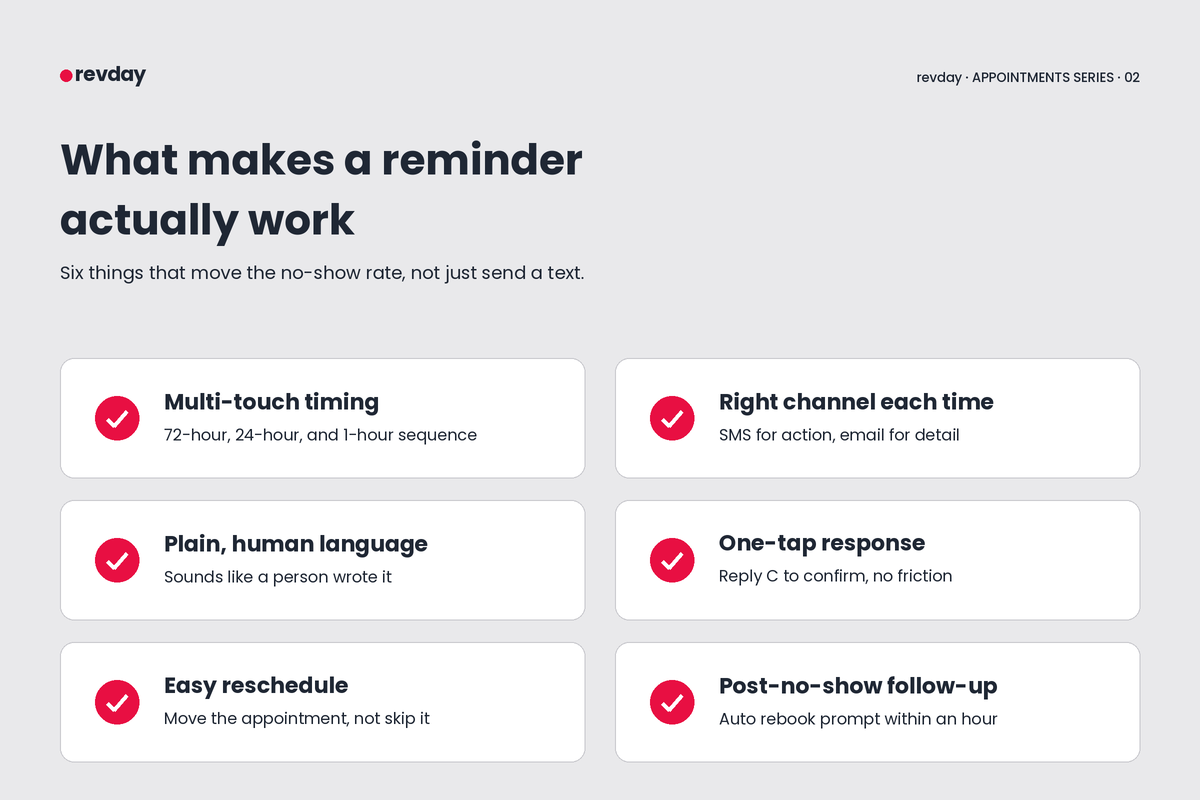
Multi-touch timing. The strongest research points to a 72 + 24 + 1-hour sequence for most service appointments. Even adding a second touchpoint to a single reminder cuts no-shows another 7 to 14 percent in studies.
Right channel for the right message. SMS for the action prompt: confirm or reschedule. Email for the detail: location, what to bring, parking, prep. Voice call only for high-value appointments or last-resort follow-up.
Plain, human language. "Hey [name], just confirming we're on for tomorrow at 3. Reply Y to confirm or R to move it" outperforms "Your appointment is scheduled for Tuesday at 15:00. Please respond to confirm." Same content. Different result.
One-tap response. "Reply C to confirm" or a single-tap link. Anything more friction than that loses people. The goal is removing every excuse to not respond.
Easy reschedule built in. If the client has changed their plans, you want them to move the appointment, not skip it. The reschedule link should be obvious and require zero login.
A follow-up sequence after a no-show. Most tools stop the moment the appointment time passes. The ones that work send a friendly "we missed you, here's how to rebook" within an hour. That's where you save 20 to 30 percent of no-shows from becoming lost clients.
🧭 Want to see where reminders fit into a bigger picture? Take the Clarity Quiz to find out which part of your business will give you the biggest return when you fix it.
The tools worth using
There are a lot of options, and most do the basics well. The differences show up in the details.
Built into your scheduler. If you've already got a scheduling tool, check what's included before paying for something separate. Calendly, Acuity, Square Appointments, and Setmore all include automated reminders on their paid plans. Square Appointments includes them on the free plan for solo operators. These work fine for the basics. They tend to be weak on the multi-touch sequence and the post-no-show follow-up.
Reminder-only specialists. GoReminders, Apptoto, and Appointment Reminder focus exclusively on the reminder workflow. They tend to have better customisation, more reliable two-way SMS, and pricing that scales with appointment volume rather than features. Worth considering if your scheduler's reminders are weak and you don't want to switch schedulers.
All-in-one platforms. revday handles bookings, reminders, payments, and follow-ups in one place, configured for your business. The advantage isn't that any single feature is better than the specialists. It's that everything talks to everything else, and someone is helping you set it up properly so you're not piecing it together alone.
What you're really choosing between: wire up three or four tools that each do one thing, or run one platform that handles the whole flow. The answer depends on how much time you've got to manage the moving parts.
The piece tools can't fix
Even the best reminder tool can't fix a fundamentally broken booking flow.
If your appointments fill with the wrong people, no amount of reminder polish reduces no-shows in a meaningful way. Wrong-fit clients ghost regardless of what your reminder text says. The work that actually moves the needle there sits before the reminder, in how the booking happens. We covered that in the first post in this series, on automating appointment scheduling.
There's also a rising question about whether AI changes the reminder game entirely. Can AI handle the back-and-forth, qualify clients in conversation, and reduce the volume of reminders you even need to send? We dig into whether AI can really book appointments for your business in the third post.
If you want to actually quantify what no-shows are costing you before deciding what to do, revday's free tools include calculators for working out the real number.
How revday handles this end-to-end
revday isn't just an appointment reminder tool. It's coaching plus an all-in-one platform that handles the full client flow. Bookings, reminders, payments, follow-ups, all configured for your business and supported by people who actually know what they're doing.
The reminder logic alone usually runs as a multi-touch sequence. Confirmation at booking. 72-hour heads-up. 24-hour reminder. 1-hour day-of nudge. Post-appointment follow-up. That's the mechanics. What matters more is the strategy around it. What gets said in each message. When a no-show triggers an automated rebook flow versus a human follow-up. How the reminder data feeds back into how you qualify leads at the front end so the wrong-fit appointments stop showing up in the first place.
For service businesses with 0 to 5 clients ready to put this in place end-to-end, BLAST is the programme that builds it with you. For businesses already past that point and looking to refine and automate at scale, CSA is the next step.
If you've tried reminder tools before and your no-show rate hasn't moved much, it's almost never the tool. It's the strategy around it.
Frequently asked questions
Do automated reminders actually reduce no-shows? Yes. Peer-reviewed studies consistently show 30 to 50 percent reduction with single reminders, and 50 to 80 percent reduction with multi-touch sequences (72-hour, 24-hour, 1-hour). The exact number depends on industry, appointment type, and client base.
SMS or email reminders, which is better? SMS gets opened faster, with most reads happening within three minutes, and is better for the action prompt: confirm or reschedule. Email is better for detail: what to bring, parking, prep. The right answer for most service businesses is both, working together.
How many reminders should I send? For most service appointments, three. Confirmation at booking. A 24-hour heads-up. A 1-hour day-of nudge. For appointments booked more than two weeks in advance, add a 72-hour reminder on top. More than four reminders starts feeling like spam.
Can I write my own reminder messages, or should I use templates? Write your own. Templates are fine to start with, but the reminders that perform best sound like a person at your business wrote them. Keep them short, friendly, and action-clear. The personalised version always outperforms the default.
What's the difference between a confirmation and a reminder? A confirmation goes out at the time of booking ("we've got you down for Tuesday at 3"). A reminder goes out before the appointment ("we're on for tomorrow at 3, reply Y to confirm"). Different jobs. Both matter.
Up next in this series
This post covered reminders. The other two go either side of it.
How to automate appointment scheduling without hiring staff. The first post covers the booking foundations that have to be right before reminders matter.
Can AI really book appointments for your business?. The third post tackles whether AI receptionists are worth it, or just the next overhyped tool.